The post Install Java on Windows for Hibernate appeared first on OctopusCodes.
]]>
Step 2: Click on “Yes” button.

Step 3: Click on “Next” button
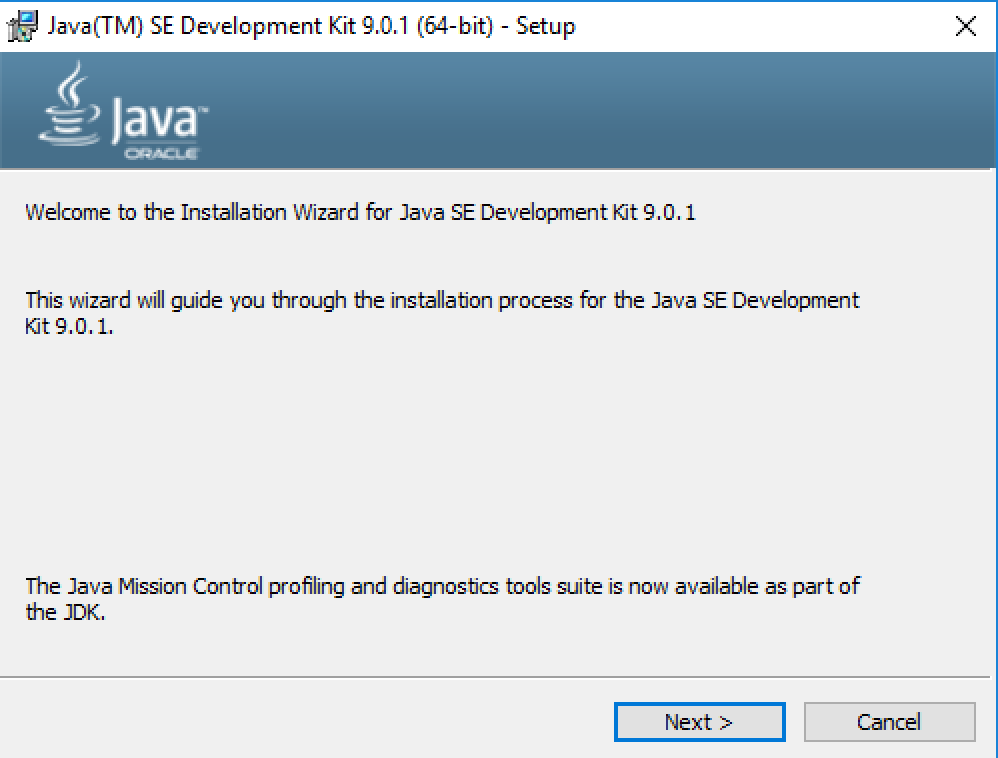
Step 4: Click on “Next” button
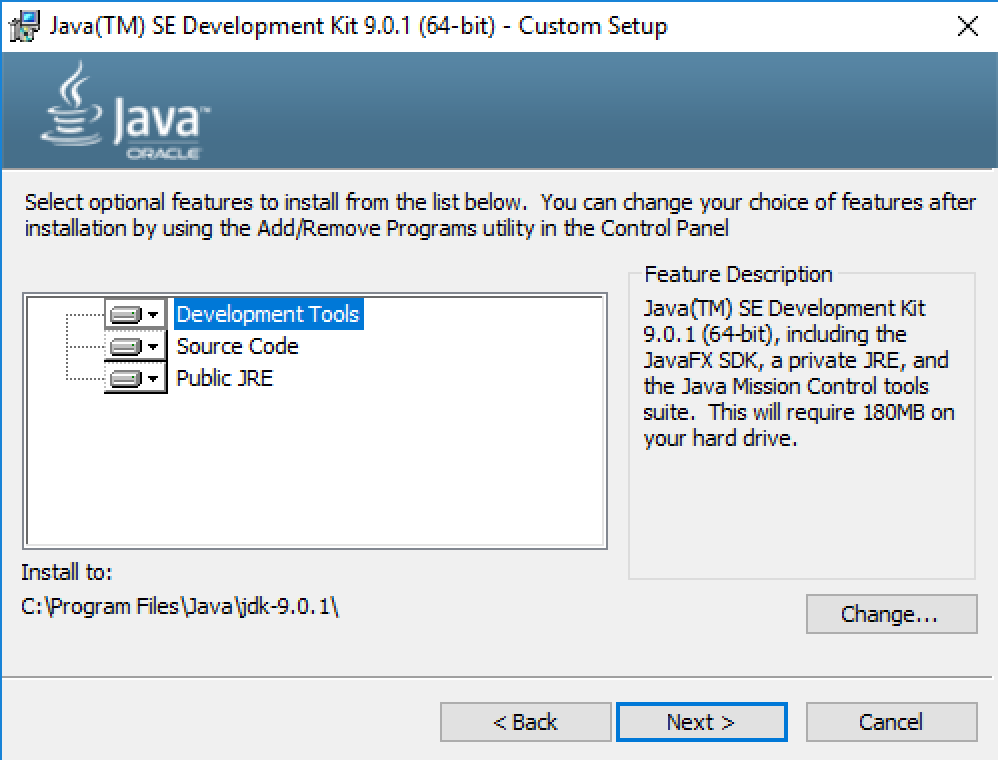
Step 5: Click on “Next” button

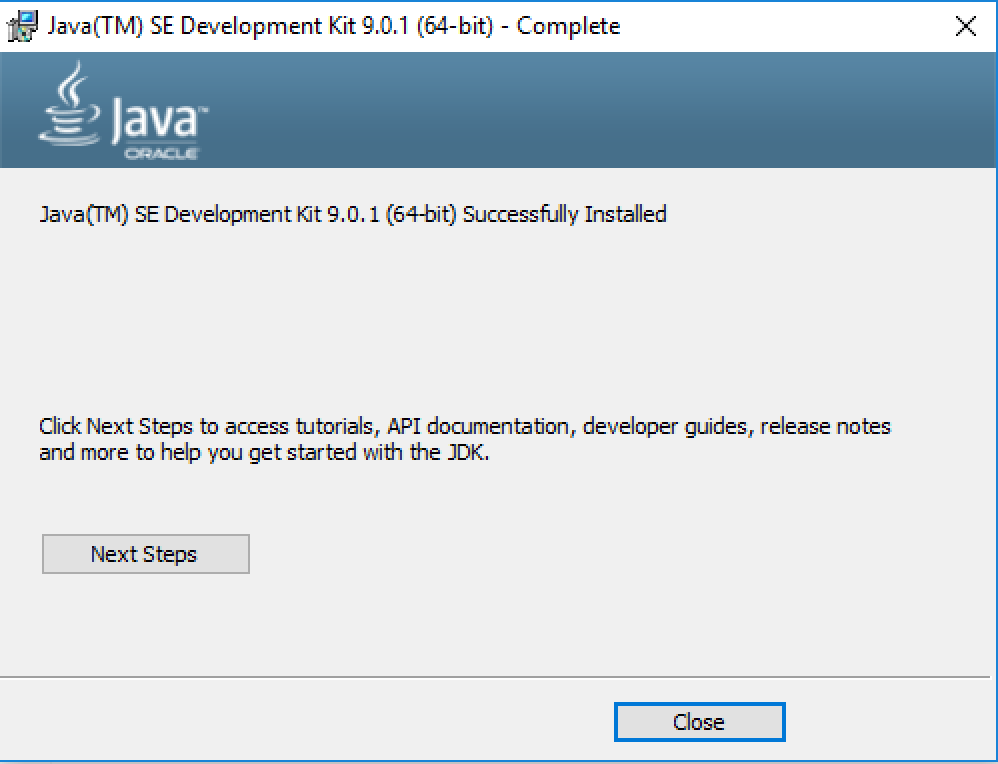
Step 6: Click on “Close” button
The post Install Java on Windows for Hibernate appeared first on OctopusCodes.
]]>The post Install MySQL for Hibernate appeared first on OctopusCodes.
]]>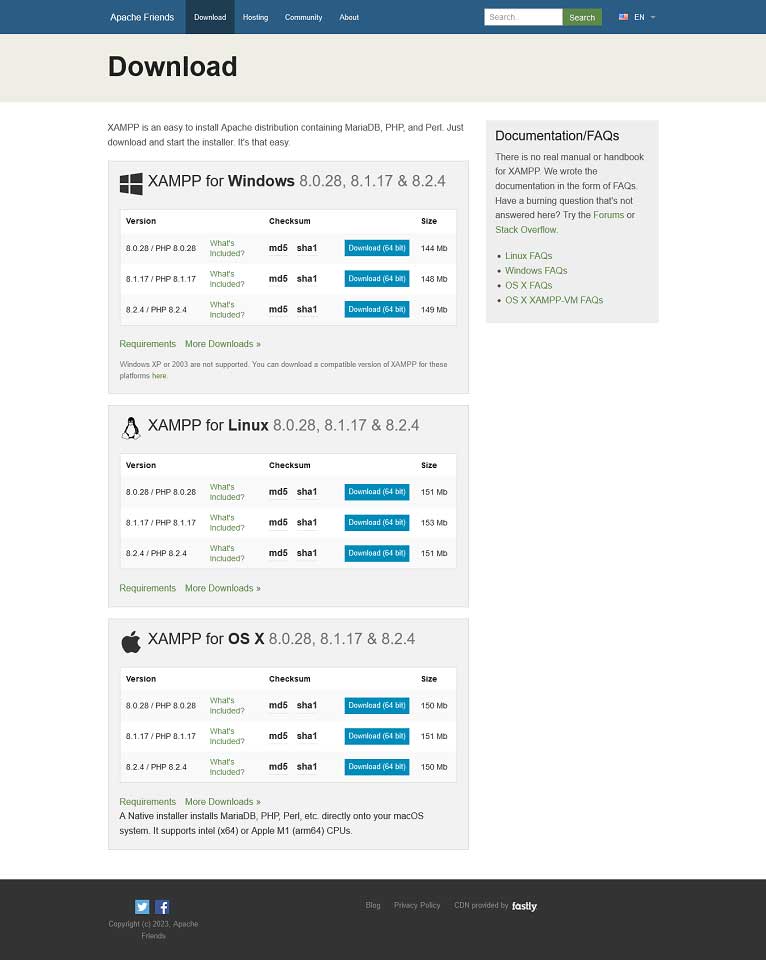
Step 2: Follow the instructions to install XAMPP.
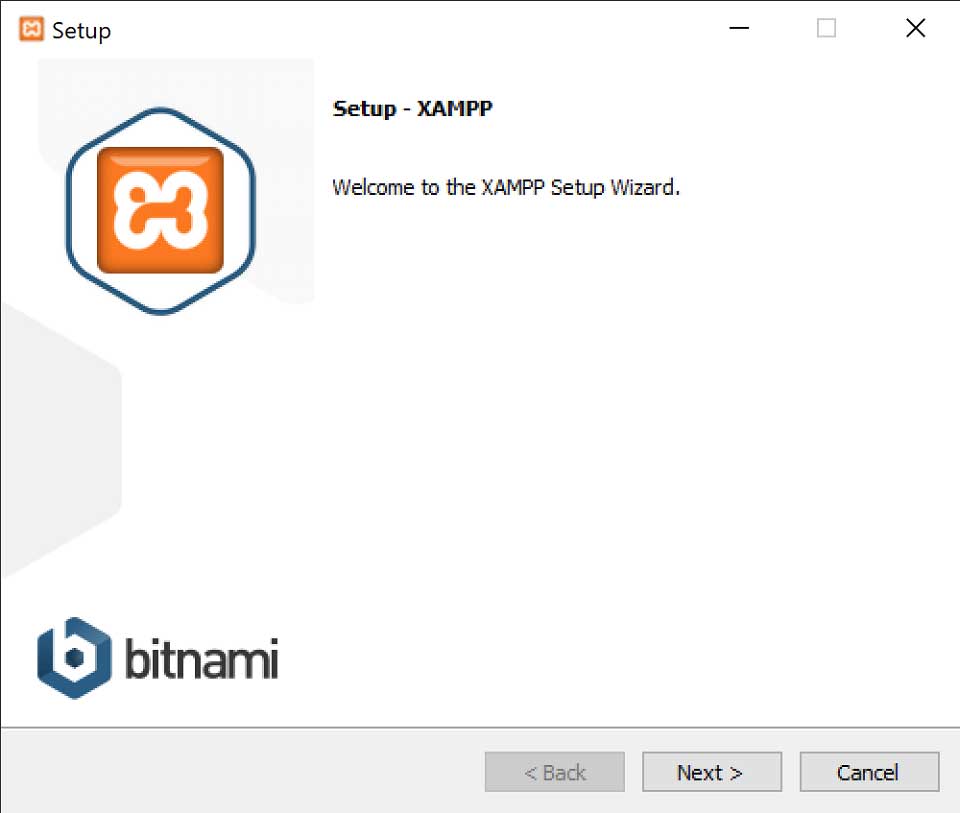
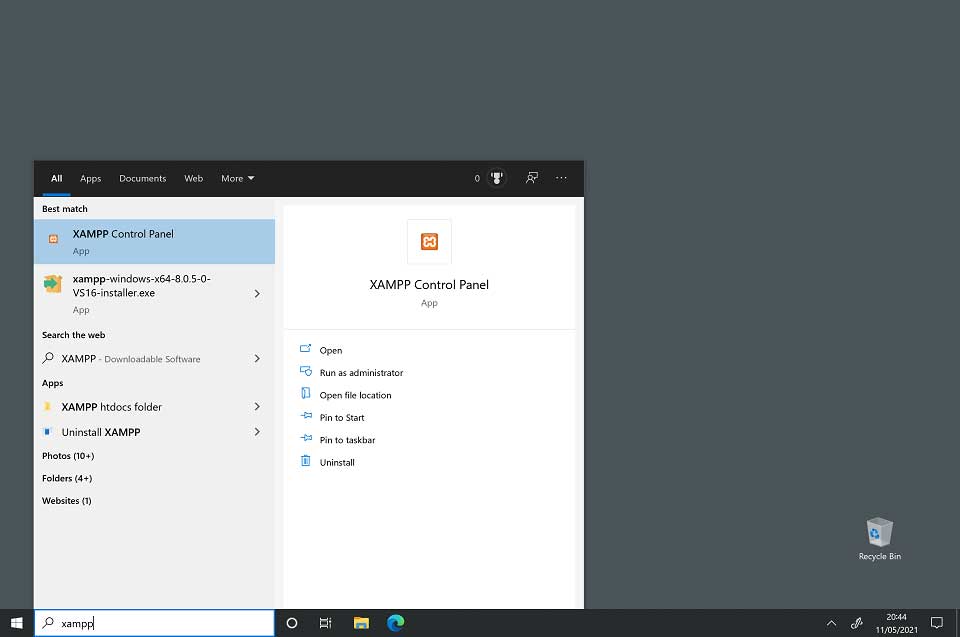
Step 3: To start XAMPP, type XAMPP into the search bar. Then select the XAMPP Control Panel to start XAMPP.
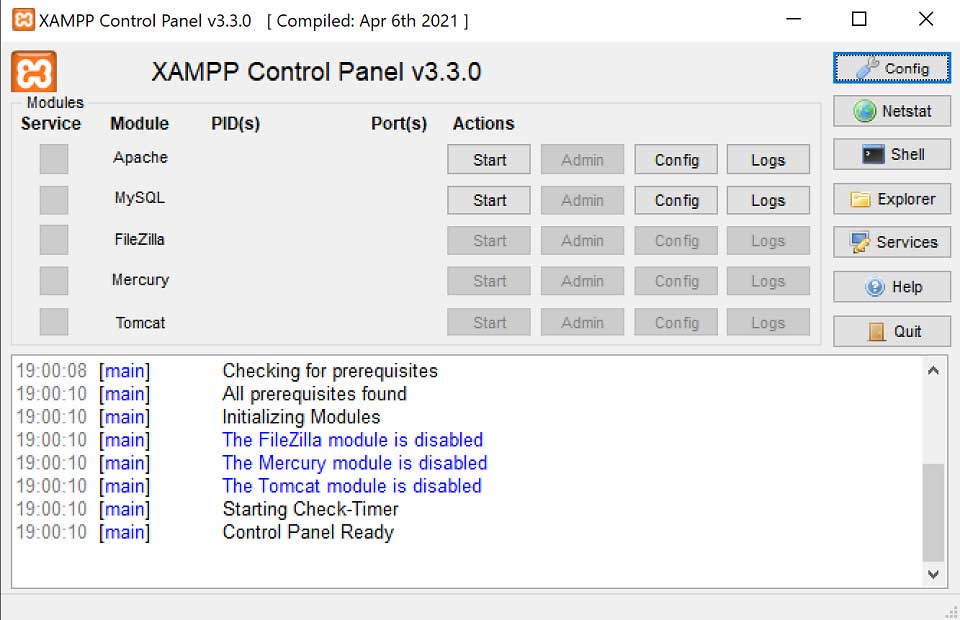
Step 4: The Start button for Apache is used to start the Apache web server (and then stop it when it is started). The Start button for MySQL will start the MySQL database (and then stop it when it is started).
The post Install MySQL for Hibernate appeared first on OctopusCodes.
]]>The post Download and Install Eclipse to Run Hibernate appeared first on OctopusCodes.
]]>Step 1: Open your browser and type https://www.eclipse.org/
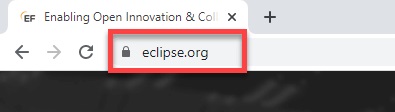
Step 2: Click on “Download” button.

Step 3: Click on “Download 64 bit” button
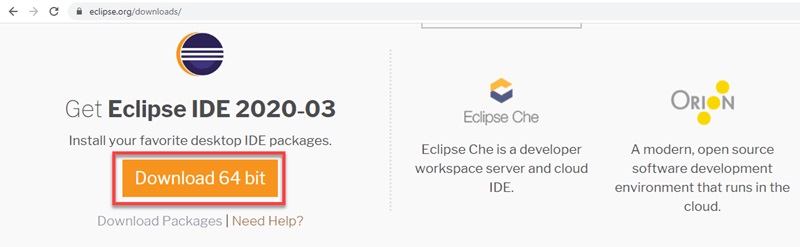
Step 4: Click on “Download” button
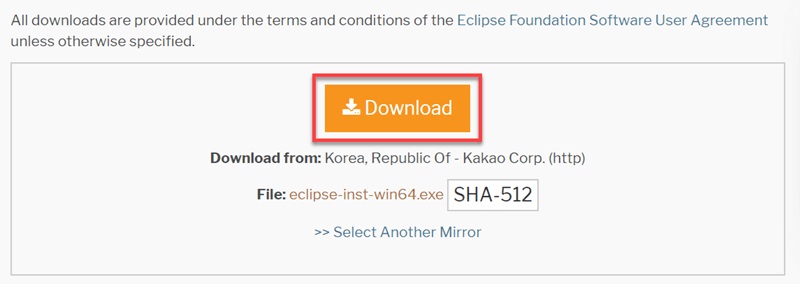
Step 5: Click on “eclipse-inst-win64.exe” file to install Eclipse

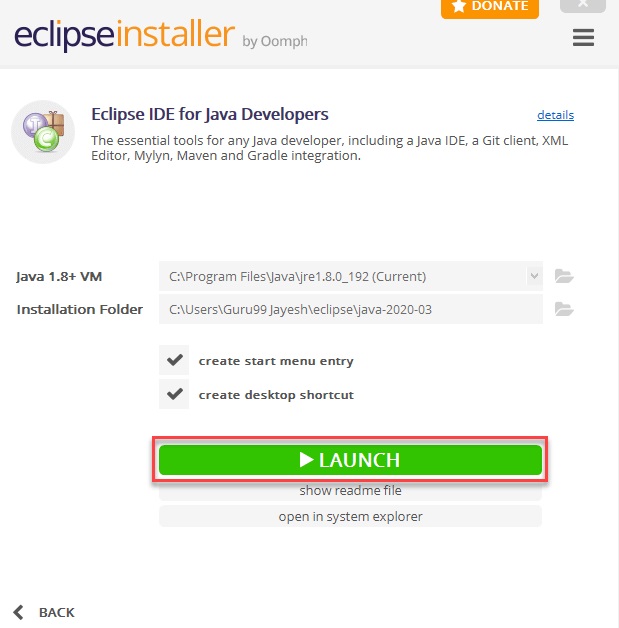
Step 6: Click on “Eclipse IDE for Java Developers“
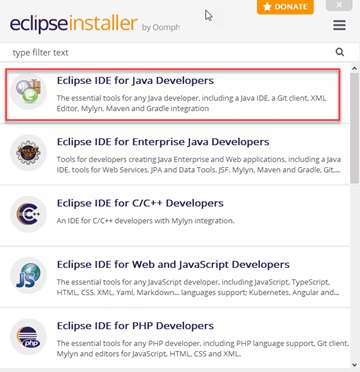
Step 7: Click on “INSTALL” button

Step 8: Click on “LAUNCH” button.
The post Download and Install Eclipse to Run Hibernate appeared first on OctopusCodes.
]]>The post Write a Java program to print the area and perimeter of a square appeared first on OctopusCodes.
]]>Example:
package octopuscodes.com.demo;

import java.util.Scanner;

public class Demo {

	public static void main(String[] args) {

		Scanner scanner = new Scanner(System.in);
		System.out.print("a: ");
		double a = scanner.nextDouble();

		double area = a * a;
		double perimeter = a * 4;

		System.out.println("Area : " + area);
		System.out.println("Perimeter : " + perimeter);

	}

}
Output:
a: 5
Area : 25.0
Perimeter : 20.0
The post Write a Java program to print the area and perimeter of a square appeared first on OctopusCodes.
]]>The post Write a Java program to print the area and perimeter of a rectangle appeared first on OctopusCodes.
]]>Example:
package octopuscodes.com.demo;

import java.util.Scanner;

public class Demo {

	public static void main(String[] args) {

		Scanner scanner = new Scanner(System.in);
		System.out.print("a: ");
		double a = scanner.nextDouble();
		System.out.print("b: ");
		double b = scanner.nextDouble();

		double area = a * b;
		double perimeter = (a + b) * 2;

		System.out.println("Area : " + area);
		System.out.println("Perimeter : " + perimeter);

	}

}
Output:
a: 3
b: 10
Area : 30.0
Perimeter : 26.0
The post Write a Java program to print the area and perimeter of a rectangle appeared first on OctopusCodes.
]]>The post Write a Java program to print the area and perimeter of a circle appeared first on OctopusCodes.
]]>Example:
package octopuscodes.com.demo;

import java.util.Scanner;

public class Demo {

	public static void main(String[] args) {

		Scanner scanner = new Scanner(System.in);
		System.out.print("Radius: ");
		double radius = scanner.nextDouble();
		double area = Math.PI * radius * radius;
		double perimeter = 2 * Math.PI * radius;
		System.out.println("Area : " + area);
		System.out.println("Perimeter : " + perimeter);

	}

}
Output:
Radius: 4
Area : 50.26548245743669
Perimeter : 25.132741228718345
The post Write a Java program to print the area and perimeter of a circle appeared first on OctopusCodes.
]]>The post Write a Java program to convert Celsius into Fahrenheit appeared first on OctopusCodes.
]]>Example:
package octopuscodes.com.demo;

import java.util.Scanner;

public class Demo {

	public static void main(String[] args) {

		Scanner scanner = new Scanner(System.in);
		System.out.print("Celsius: ");
		double celsius = scanner.nextDouble();
		double fahrenheit = celsius * 1.8 + 32;
		System.out.println("Fahrenheit: " + fahrenheit);

	}

}
Output:
Celsius: 100
Fahrenheit: 212.0
The post Write a Java program to convert Celsius into Fahrenheit appeared first on OctopusCodes.
]]>The post Write a Java program to convert Fahrenheit into Celsius appeared first on OctopusCodes.
]]>Example:
package octopuscodes.com.demo;

import java.util.Scanner;

public class Demo {

	public static void main(String[] args) {

		Scanner scanner = new Scanner(System.in);
		System.out.print("Fahrenheit: ");
		double fahrenheit = scanner.nextDouble();
		double celsius = (fahrenheit - 32) / 1.8;
		System.out.println("Celsius: " + celsius);

	}

}
Output:
Fahrenheit: 212
Celsius: 100.0
The post Write a Java program to convert Fahrenheit into Celsius appeared first on OctopusCodes.
]]>The post Java Operators with Real Life Examples appeared first on OctopusCodes.
]]>- Write a Java program to convert Fahrenheit into Celsius.
- Write a Java program to convert Celsius into Fahrenheit.
- Write a Java program to print the area and perimeter of a circle.
- Write a Java program to print the area and perimeter of a rectangle.
- Write a Java program to print the area and perimeter of a square.
The post Java Operators with Real Life Examples appeared first on OctopusCodes.
]]>The post Assignment Operators in Java appeared first on OctopusCodes.
]]>| Operator | Example |
| = | c = d; |
| += | c += d; |
| -= | c -= d; |
| *= | c *= d; |
| /= | c /= d; |
| %= | c %= d; |
1. (=) Operator
This operator is used to assign the value on the right to the variable on the left.
Example:
package octopuscodes.com.demo;

public class Demo {

	public static void main(String[] args) {
		int a = 10;
		System.out.println("a: " + a);

		double b, c, d, e;
		b = c = d = e = 4.5;
		System.out.println("b: " + b);
		System.out.println("c: " + c);
		System.out.println("d: " + d);
		System.out.println("e: " + e);

		double f = b + c;
		System.out.println("f: " + f);
	}

}
Output:
a: 10
b: 4.5
c: 4.5
d: 4.5
e: 4.5
f: 9.0
2. (+=) Operator
This operator is a compound of “+” and “=” operators. It operates by adding the current value of the variable on the left to the value on the right and then assigning the result to the operand on the left.
Example:
package octopuscodes.com.demo;

public class Demo {

	public static void main(String[] args) {
		int a = 10;
		a += 5;
		System.out.println("a: " + a);
	}

}
Output:
a: 15
Best Keyboards for Programming
3. (-=) Operator
This operator is a compound of “-” and “=” operators. It operates by subtracting the variable’s value on the right from the current value of the variable on the left and then assigning the result to the operand on the left.
Example:
package octopuscodes.com.demo;

public class Demo {

	public static void main(String[] args) {
		int a = 10;
		a -= 5;
		System.out.println("a: " + a);
	}

}
Output:
a: 5
4. (*=) Operator
This operator is a compound of “*” and “=” operators. It operates by multiplying the current value of the variable on the left to the value on the right and then assigning the result to the operand on the left.
Example:
package octopuscodes.com.demo;

public class Demo {

	public static void main(String[] args) {
		int a = 10;
		a *= 5;
		System.out.println("a: " + a);
	}

}
Output:
a: 50
5. (/=) Operator
This operator is a compound of “/” and “=” operators. It operates by dividing the current value of the variable on the left by the value on the right and then assigning the quotient to the operand on the left.
Example:
package octopuscodes.com.demo;

public class Demo {

	public static void main(String[] args) {
		int a = 10;
		a /= 5;
		System.out.println("a: " + a);
	}

}
Output:
a: 2
6. (%=) Operator
This operator is a compound of “%” and “=” operators. It operates by dividing the current value of the variable on the left by the value on the right and then assigning the remainder to the operand on the left.
Example:
package octopuscodes.com.demo;

public class Demo {

	public static void main(String[] args) {
		int a = 10;
		a %= 5;
		System.out.println("a: " + a);
	}

}
Output:
a: 0
The post Assignment Operators in Java appeared first on OctopusCodes.
]]>